
When creating a post, and officer/committee head/admin can trigger the contents of the post to be posted to some or all of the RAC Social Media sites. This includes:
- Google+
When using this function please note that it will only post the FIRST time the article is published. Changes after the first time will not be pushed out to Social Media. Also, it is good idea to keep social media posts very short and concise.
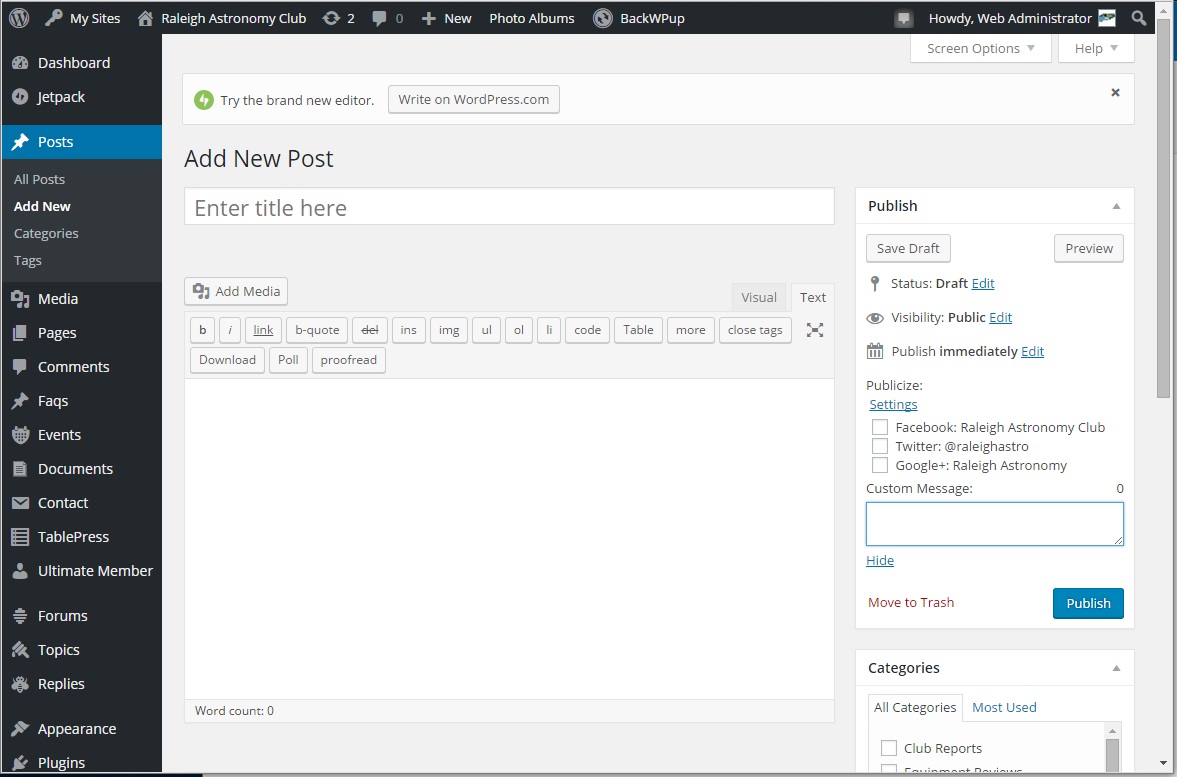
In order to post to social media, go to the admin dashboard and select Posts->Add New. Once that is selected, you will get a post screen like the one below:

Add Post Screen
You can then create/edit a post as usual. In order to post it to social media, look at the Publish box in the upper right of the form. In that box, you will see a Publicize line with an option to Edit Details. Click on the Edit Details and the screen will look like:
Publicize Details
By default, none of the social media sites are selected. Can check any of them you wish to receive the post. You can also add a introductory comment to be added to the posts by typing in the box. Once you have editing this, you don’t need to do anything more, other than to press Publish to send the article.


